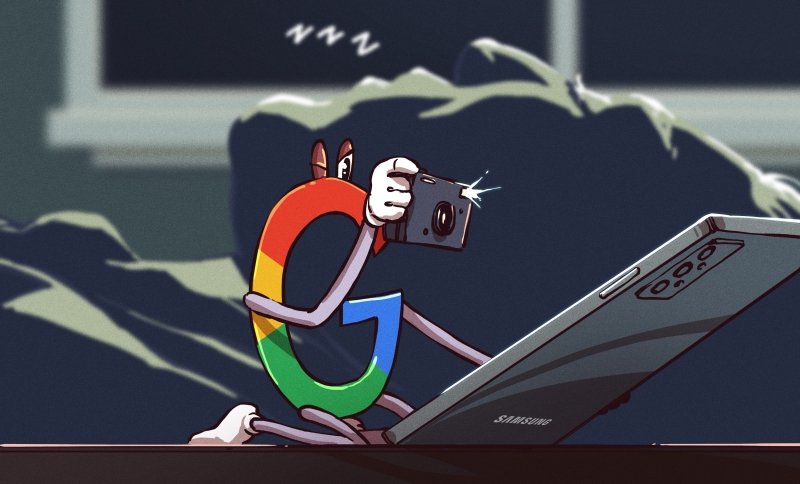
We’ve come a long way from the Internet of the 90s and early 00s. Not just in terms of technology, capabilities, and culture, but in the attitude most of us take when accessing the ‘net. In those early days most users had a militant drive to keep any personal or identifying information to themselves beyond the occasional (and often completely fictional) a/s/l, and before eBay and Amazon normalized online shopping it was unheard of to even type in a credit card number. On today’s internet we do all of these things with reckless abandon, and to make matters worse most of us carry around a device which not only holds all of our personal information but also reports everything about us, from our browsing habits to our locations, back to databases to be stored indefinitely.
It was always known that both popular mobile operating systems for these devices, iOS and Android, “phone home” or report data about us back to various servers. But just how much the operating systems themselves did was largely a matter of speculation, especially for Apple devices which are doing things that only Apple can really know for sure. While Apple keeps their mysteries to themselves and thus can’t be fully trusted, Android is much more open which paradoxically makes it easier for companies (and malicious users) to spy on users but also makes it easier for those users to secure their privacy on their own. Thanks to this recent privacy report on several different flavors of Android (PDF warning) we know a little bit more on specifically what the system apps are doing, what information they’re gathering and where they’re sending it, and exactly which versions of Android are best for those of us who take privacy seriously.
THE REAL RESEARCH CONFIRMS SUSPICIONS
The report takes a look at six different “flavors” of Android and what each one is doing behind the scenes. The researchers studied operating systems from Samsung, Xiaomi, Huawei, and Realme which all also produce their own devices, but also looked at two alternative Android-based operating systems — LineageOS and /e/OS — that can be installed on some devices and customized for privacy if the user chooses. /e/OS is built with privacy in mind, while LineageOS is more of a drop-in replacement which doesn’t specifically focus on privacy. It should be no surprise that the four Android versions customized by the device manufacturers report a ton of user data, or that any device with a Google Apps (GApps) package reports a seemingly unending stream of user information back to Google servers, but some of the specific results that the research team found are definitely worth noting.
First, the paper points out that all of these companies are trivially able to link devices to users. Companies match IMEI numbers and other identifiers of devices to other user data that makes linking these accounts together a simple game of connect-the-dots. Largely the reason for doing this is to target ads, but all of these companies will also share this information indiscriminately with various governmental agencies. They also aren’t perfectly secure, so any black-hat attacker who gets access to this information will have it as well. This shouldn’t be too surprising, but the new information here is that researchers also found this data is shared among companies. For example, Samsung and Google seem to share each other’s data amongst themselves. Swiftkey, a popular keyboard app, also sends information to Microsoft via Google. It’s quite a complex web of data sharing and services from one company to support another’s data gathering efforts. Some of these data gathering efforts also include details such as timestamped app usage and personal contact gathering. While a lot of the information the operating systems are actually gathering is sometimes obfuscated, it’s clear that anything done on any of these devices might as well be recorded as if it was a Twitch stream as there’s evidence to suggest that literally everything could be monitored by someone (or some piece of software), right down to a user’s keystrokes.
The researchers contrast this rampant data gathering activity with /e/OS, a privacy-oriented version of Android. /e/OS is a fork of LineageOS which is specifically devoted to privacy, includes no Google-related software, and gathers essentially no user data on its own apart from information about available updates and some other necessary information. LineageOS is only marginally better than the Android offerings from the major manufacturers when the GApps package is installed with it, largely because the Google system apps are so pervasive at gathering user data. It is possible to use LineageOS without the GApps package but the researchers did not take this approach and largely focused on /e/OS as the de-Googled version of study.
Also Read: ROBINHOOD CUSTOMERS WORRIED ABOUT THE DATA HACK: AN IDENTITY THEFT PROTECTION SERVICE CAN HELP
BEYOND THIS STUDY
While /e/OS is certainly an excellent choice for privacy-conscious users of smartphones, there are a few others worth mentioning that were not included in the study. Drawing the conclusion from this research that the real privacy violator is GApps (as long as you can avoid the other spyware from Samsung et. al.), it is possible to install LineageOS on a wider array of devices than /e/OS currently supports. Since installing GApps is something that is typically sideloaded after installing LineageOS and is an optional step, this can simply be omitted.

Additionally, if you absolutely can’t live without Google Maps or Gmail, there is a way of accessing Google services without actually installing them on your device. A software package called MicroG is available which is an open-source replacement for GApps and allows the user to access Google services that otherwise would be available but restricts tracking and gathering of user data by Google in key ways. There is a fork of LineageOS called “LineageOS for MicroG” which includes this package instead of GApps by default, although there have been squabbles between the maintainers of this project and LineageOS over concerns with the way that MicroG accesses the Google services by signature spoofing.
For those with Google Pixel devices specifically, there are two other privacy options. GrapheneOS is the Cadillac of privacy-focused versions of Android and has a number of improvements to enhance security as well, such as app sandboxing, implementation of secure/verified boot, disabling of peripherals via toggles, and other enhancements. CalyxOS is based on GrapheneOS and is similar but does allow for the use of MicroG and has some less-intense security practices than GrapheneOS. The only downsides with these flavors of Android is that they are built almost exclusively for the Google Pixel and at a minimum requires trust that Google didn’t build a hardware backdoor of some sort into their phones.
ANDROID ISN’T THE ONLY OPTION
There are a few other options for improving online privacy when using a smartphone. Linux-only phones such as the Pinephone are available but are not as fully-featured as Android. Some versions of Linux are also available for phones that would otherwise run Android. It’s also probable that an iPhone is a security and privacy improvement over a factory Android device from any major service carrier or device manufacturer, although the fact that their software is closed-source and behind a walled garden makes this extremely difficult to verify. Still, if a user isn’t willing to jump through all of these hoops to install /e/OS, GrapheneOS, or Ubuntu Touch, or if their phone has a locked bootloader making it impossible to flash a new OS (or if their device just isn’t supported), it’s preferable to choose an iPhone only if all other options are exhausted. Of course, the only other option is to not own a smartphone at all, which is arguably the easiest way of improving the privacy concerns with these devices.
The paper goes into great detail on methodology and also includes information on how they determined what data was being sent for those curious about specifics. It’s also worth noting that they point out that none of this research investigates any specific apps that might be installed on a phone and only looks at the operating system apps. If you install random freemium games, banking apps, or Facebook on your GrapheneOS install, for example, it’s likely to void any and all of your privacy efforts. The paper itself is worth a read though even for those who haven’t considered their online privacy before, even if they did grow up in the 90s.
Credit: hackaday.com